
Можливості
Керування рестораном через розмову з ШІ, реклама з ШІ, доставка і власні кур'єри, QR-зал, лояльність, відгуки, мультибренд і dark kitchen, P&L і склад.
Керування через ШІ
Не треба шукати налаштування в адмінці. Ви пишете ШІ, що потрібно, і система виконує. ШІ підключений до каси, сайту, CRM і рекламних кабінетів через один MCP-сервер, тож бачить усю картину й діє в ній. Кожна дія виконується з правами конкретного користувача: адміністратор чи директор закладу не може зробити небезпечних дій.
- Стоп-лист, години роботи й особливі дні — одним повідомленням
- Ціни на сайті й у касі синхронізуються
- Відповіді на відгуки, пости в соцмережах, розсилки
- Звіти: виручка, P&L, маржа страв — на запитання звичайними словами
- Ролі й права: власник, директор мережі, директор закладу, менеджер, маркетолог
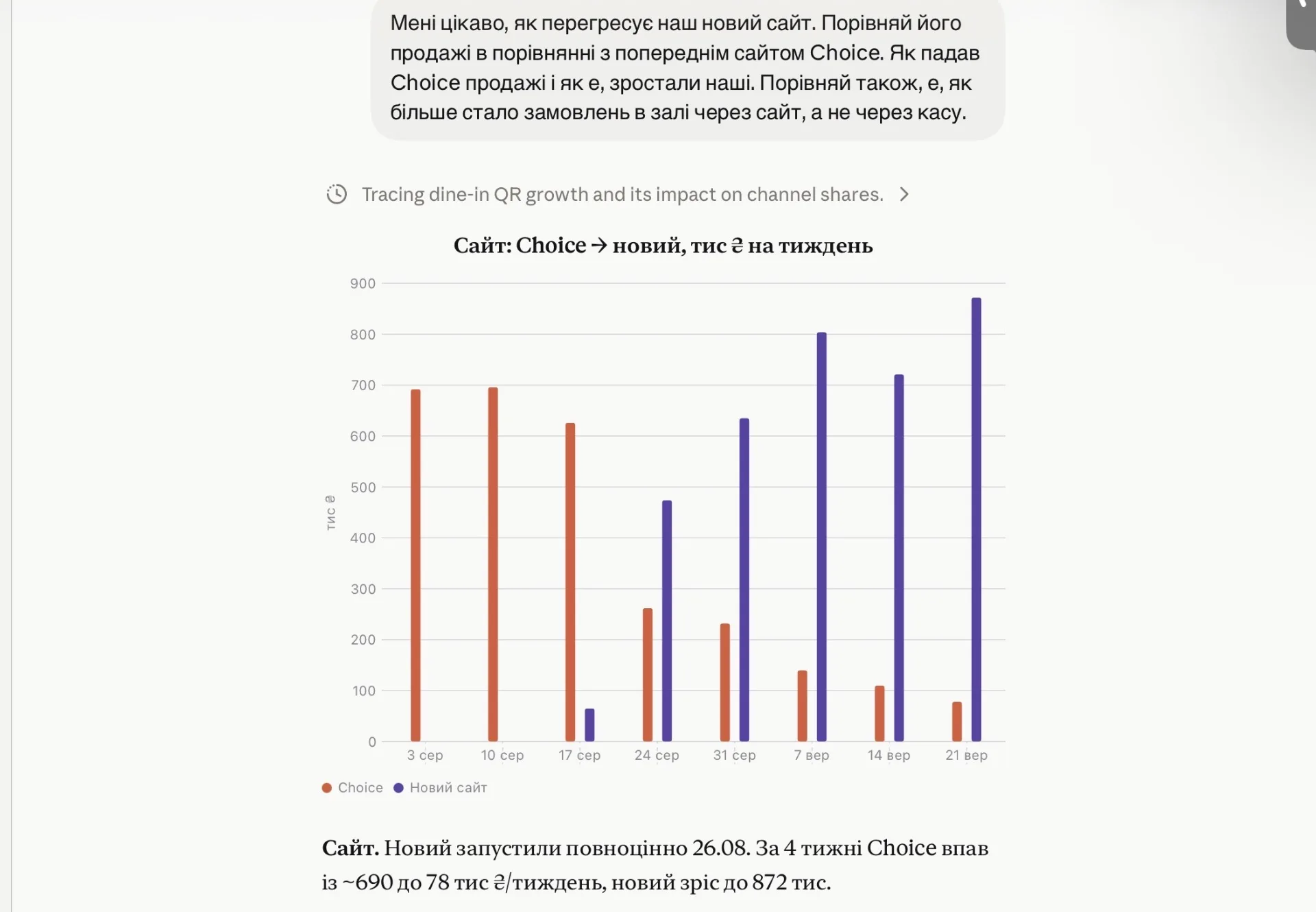
Реклама і просування з ШІ
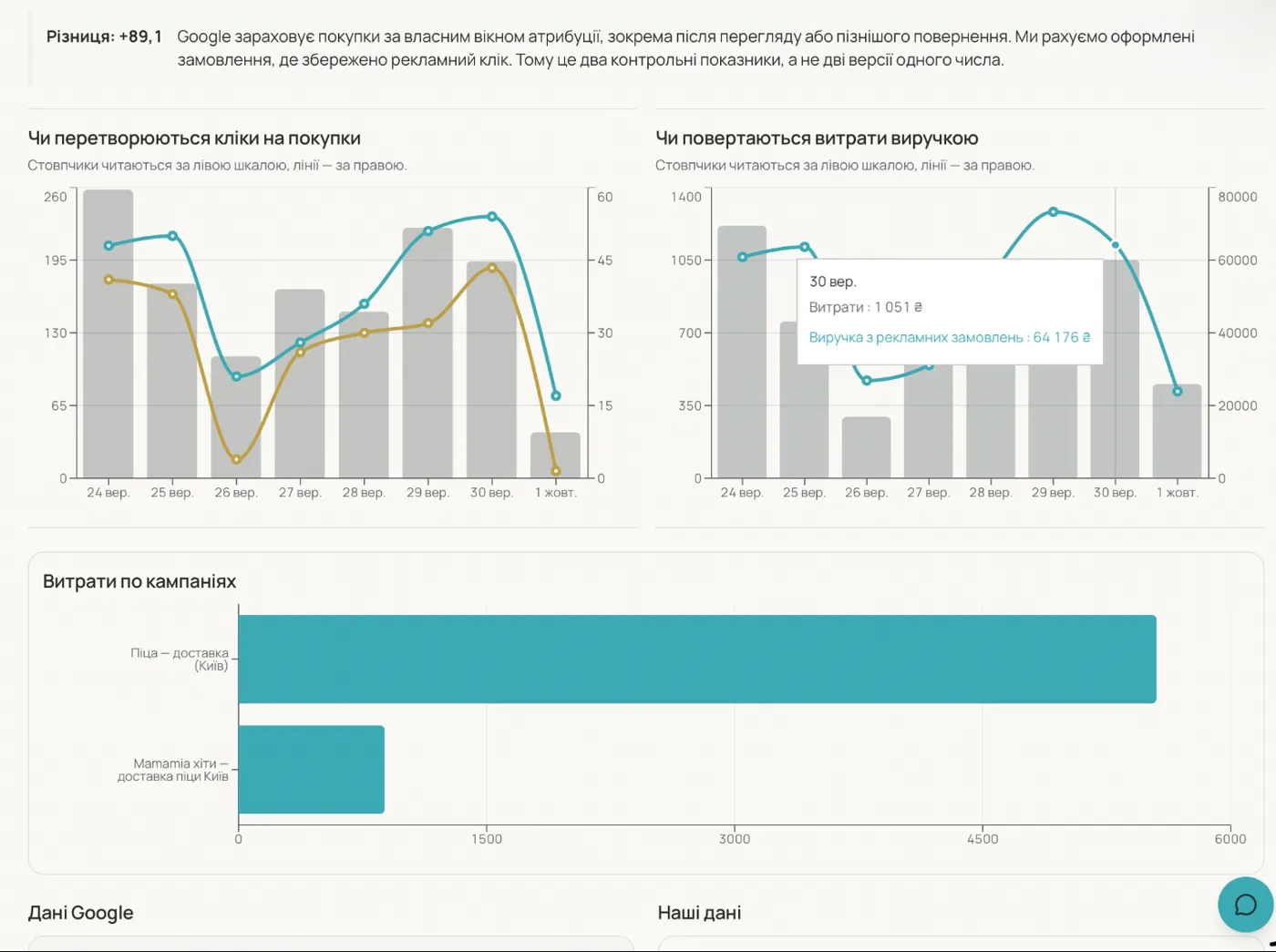
ШІ дивиться на реальні продажі й маржу страв, сам обирає, що рекламувати і кому, та готує кампанії. Нові кампанії створюються на паузі — власник лише погоджує запуск. Окремий SEO-підрядник і власні рекламні акаунти не потрібні: усе працює через Карусель, але під вашим брендом.
- Google Ads: пошукові кампанії та Performance Max
- Meta: кампанії у Facebook та Instagram
- Аудиторії ваших гостей автоматично вивантажуються в рекламні кабінети
- Страви в Google: фід Merchant Center без окремого акаунта
- Пости у Facebook, Instagram і Google Business
- Тон комунікації задаєте ви: від наполегливого продажу до стриманого, що будує цінність бренду
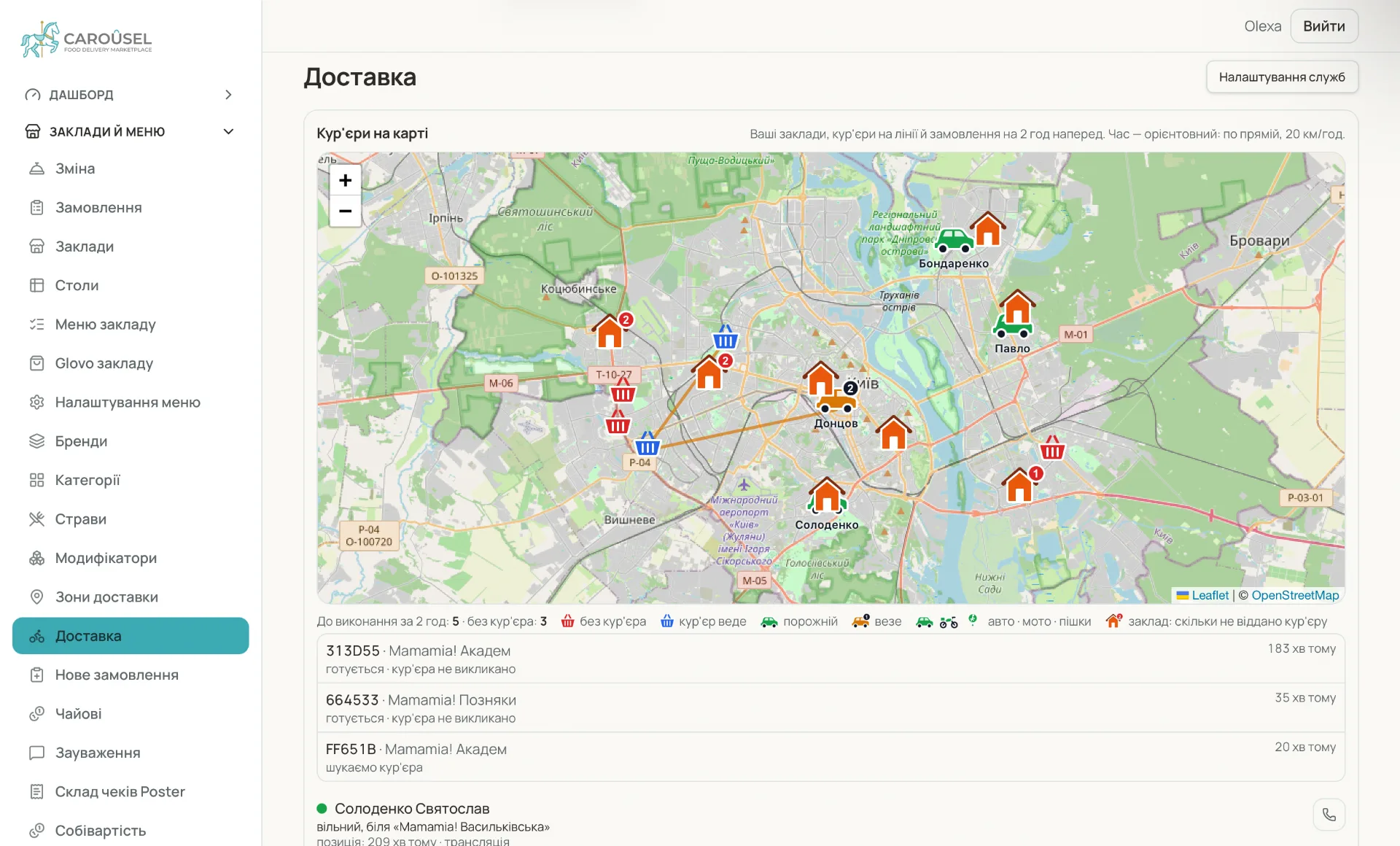
Доставка і самовивіз
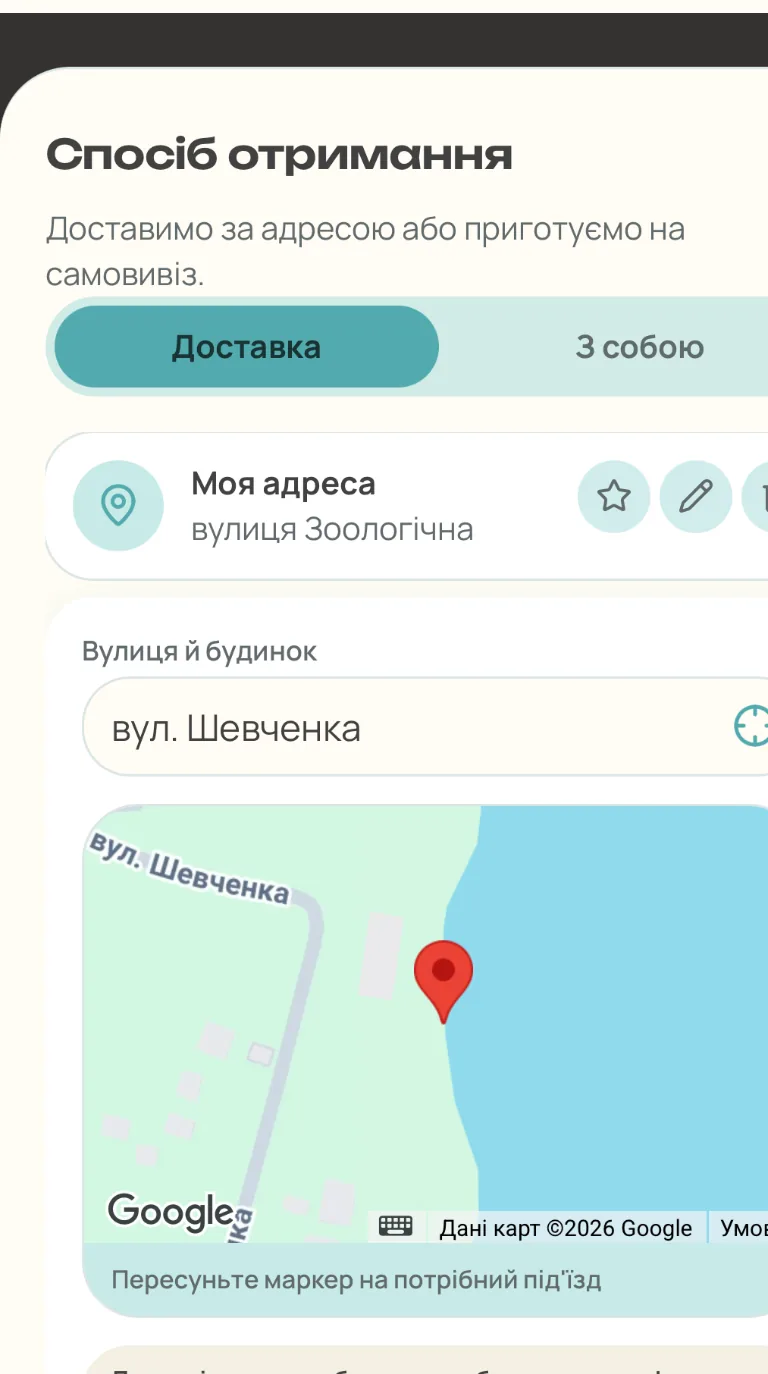
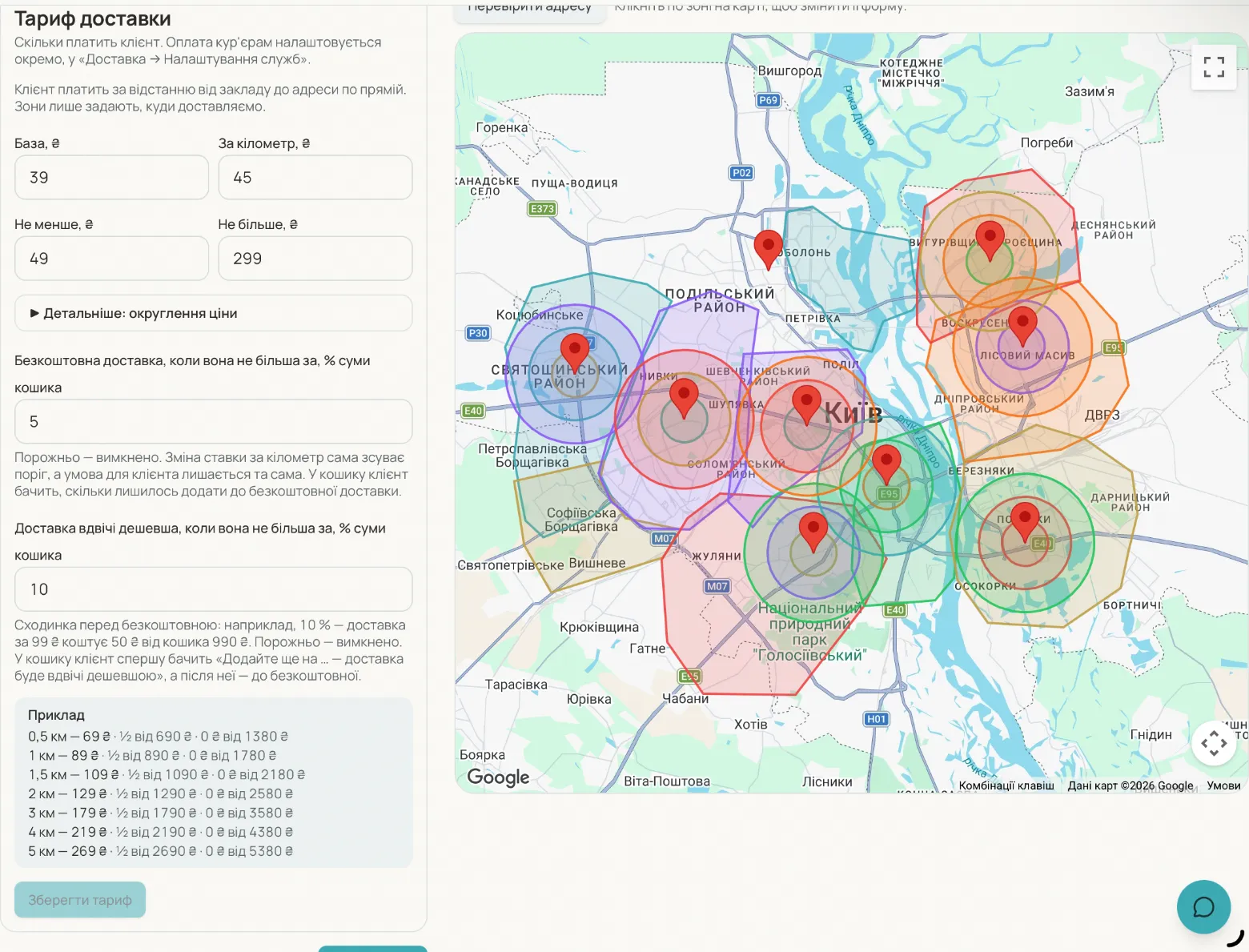
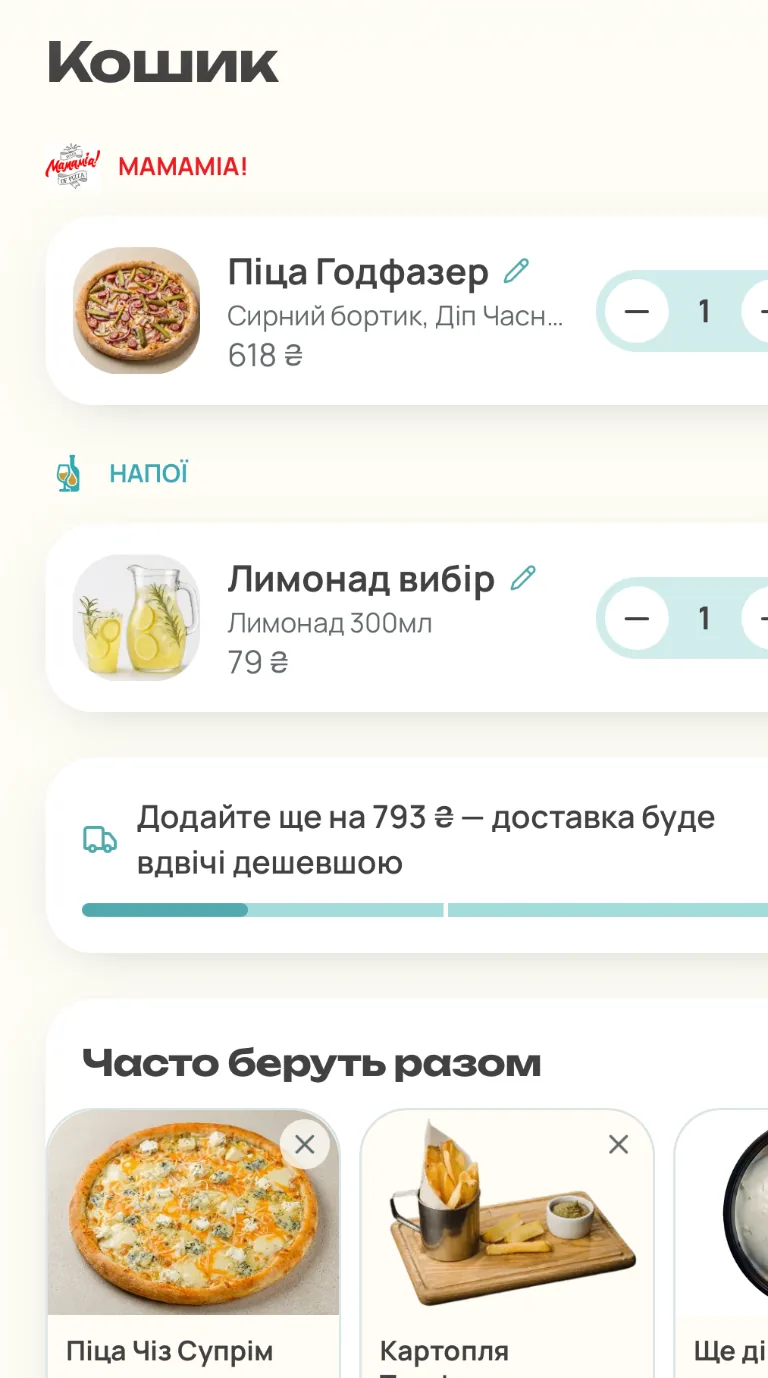
Гість замовляє на вашому сайті, під вашим брендом. Ви самі задаєте, куди возите і в який час можете прийняти замовлення. Оплачене замовлення одразу з'являється на кухонному екрані.
- Зони доставки на карті
- Слоти часу для замовлень наперед
- Самовивіз із вибором закладу
- Монітор замовлень для кухні та передавання кур'єру
- Імпорт замовлень з маркетплейсів (Glovo, Bolt) в один монітор
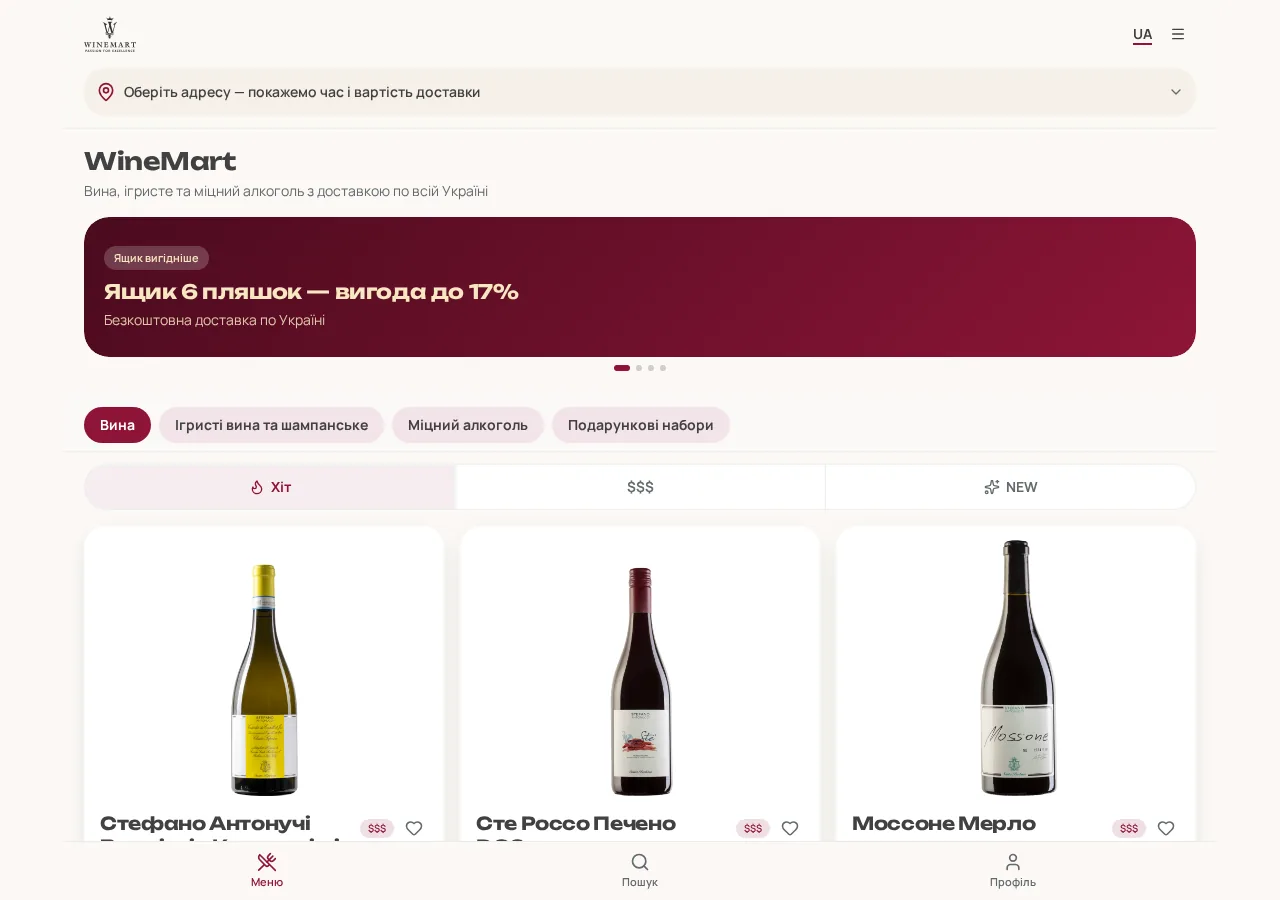
- Гостьовий інтерфейс лише мобільний — свідомо: гість замовляє з телефона, і кожен екран зроблений під один палець
- Власні кур'єри: застосунок з маршрутом, статусами й чайовими
- Виклик зовнішніх служб (Glovo, Uklon) з порівнянням вартості доставки
- Для кожної зони — своя вартість доставки й мінімальна сума замовлення
QR-зал і режим офіціанта
Два способи прийняти замовлення в залі: гість сам за QR-кодом зі столика, або офіціант з власного телефона в тому самому інтерфейсі. В обох випадках замовлення потрапляє в POS автоматично, без ручного набору на касі.
- Замовлення за QR зі столика
- Режим офіціанта: зал і виніс з телефона
- Замовлення одразу в POS
- Розділення рахунку, оплата й чайові без офіціанта
- Сигнал персоналу в бот
Лояльність
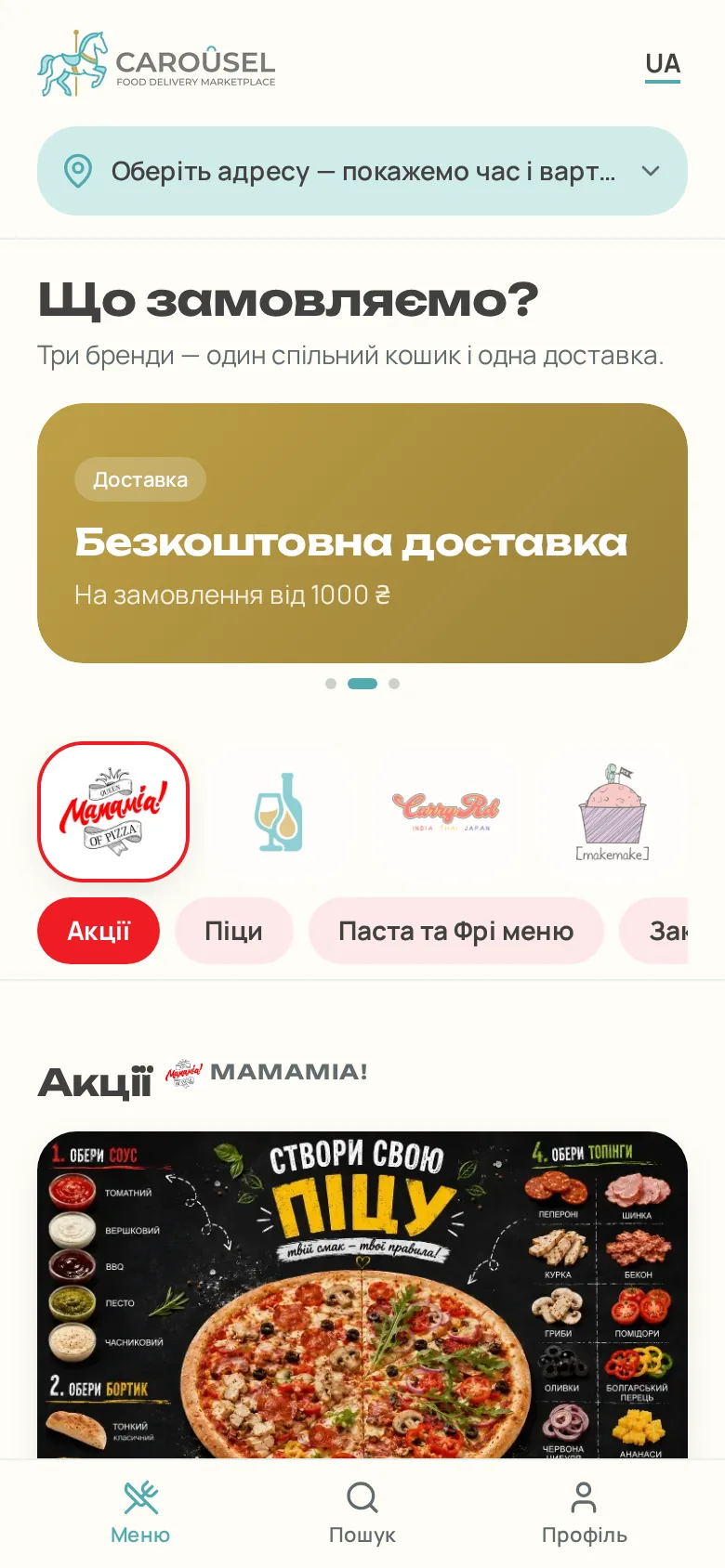
Бонуси й купони працюють за правилами, які ви пишете самі. У правила є умови й тригери, тож купон з'являється тоді, коли гість його заробив. Нічого не роздається наперед і не згорає невикористаним.
- Бонуси за замовлення й персональні купони
- Правила з умов і тригерів
- Купони рахуються з правил живими, а не видаються заздалегідь
- Бонусний рахунок і гаманець гостя
- Ненав'язливе нагадування, коли бонуси от-от згорять
- Персональний код купона, який можна продиктувати гостю телефоном
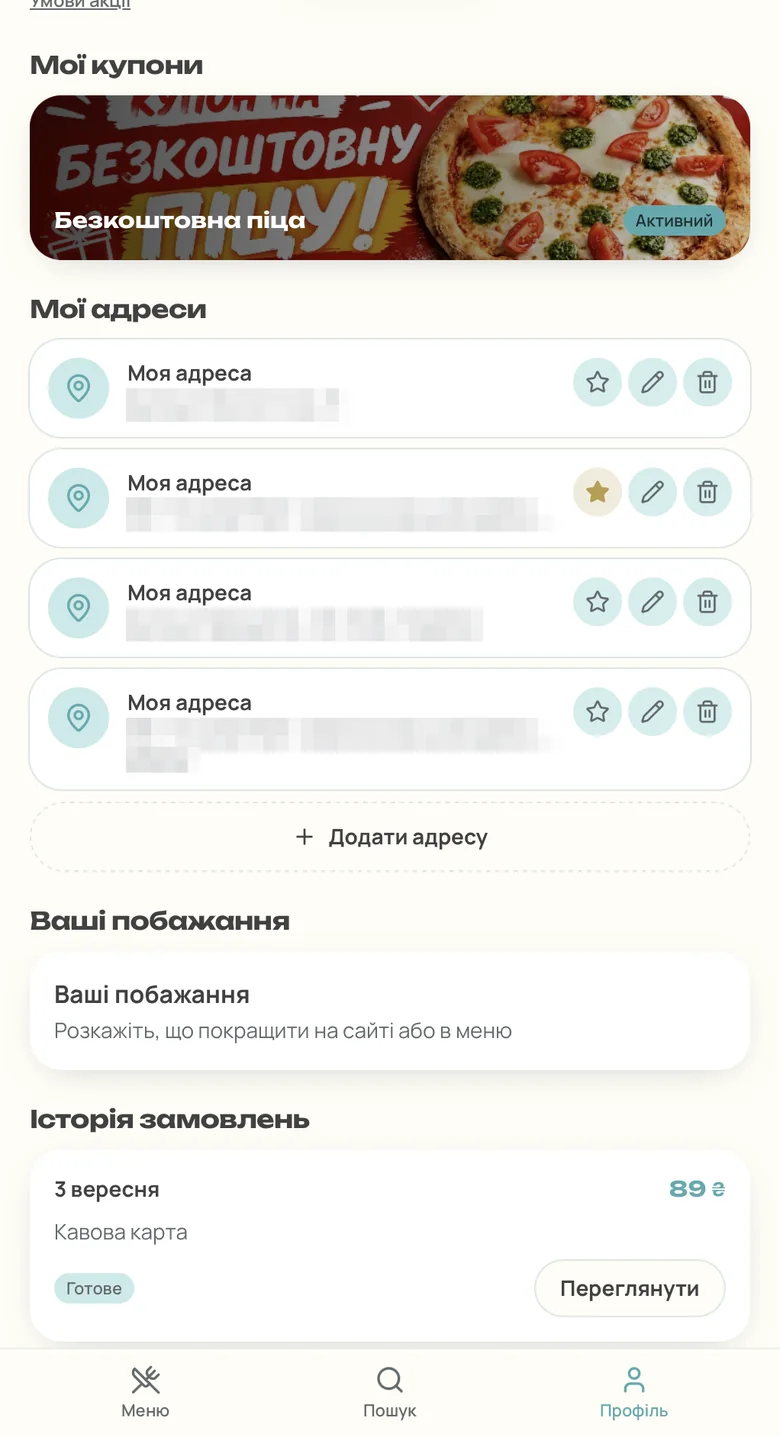
Автоматизації маркетингу
Кампанія — це воронка з кроків, а не разова розсилка. Кожен крок може піти через email, SMS або месенджер. Згода зберігається окремо за каналами, а звіти показують, що дала кампанія. А ще гість може знайти конкретну страву в Google і потрапити прямо в її картку.
- Страви в Google: динамічний фід у Merchant Center, оновлюється сам
- E-commerce події для GA4 і Google Ads через GTM: перегляд, кошик, покупка
- Воронки з кроками через email, SMS і месенджери
- A/B-тести варіантів
- Сегменти аудиторії
- Згода за каналами і звіти по кампаніях
- Прохання залишити відгук після виконаного замовлення
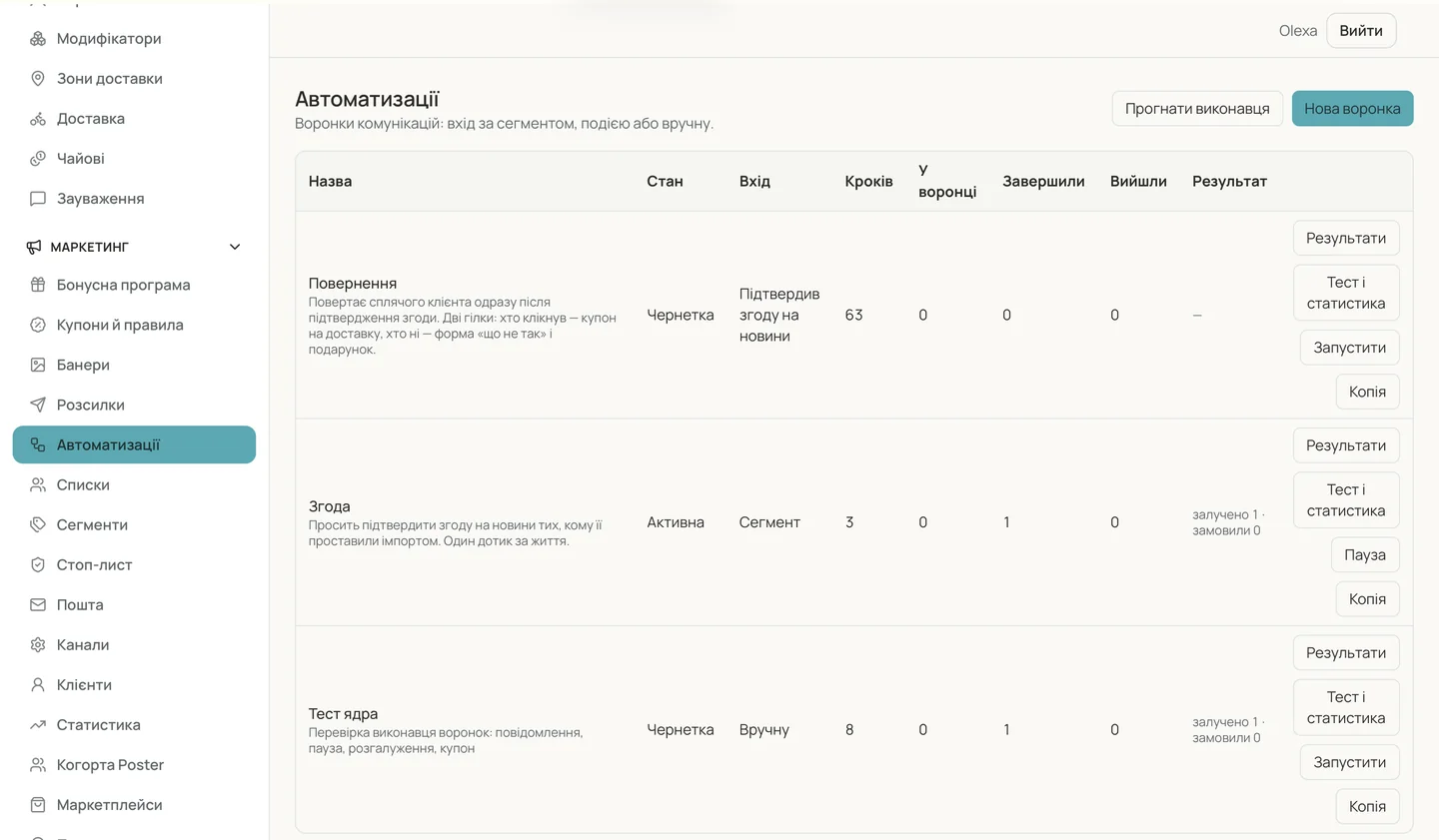
Відгуки з ШІ
Відгуки Google приходять в один інбокс, а не в панель, яку ніхто не відкриває. Асистент готує чернетку відповіді й класифікує відгук, а серйозне ескалює директору. Видно й те, скільки відгуків ви збираєте на 1 000 замовлень.
- Один інбокс для відгуків Google
- Чернетки відповідей від ШІ, класифікація та ескалація директору
- Сповіщення на email і в Telegram
- Коефіцієнт відгуків на 1 000 замовлень
- Години роботи й меню на картці Google Business синхронізуються із сайтом
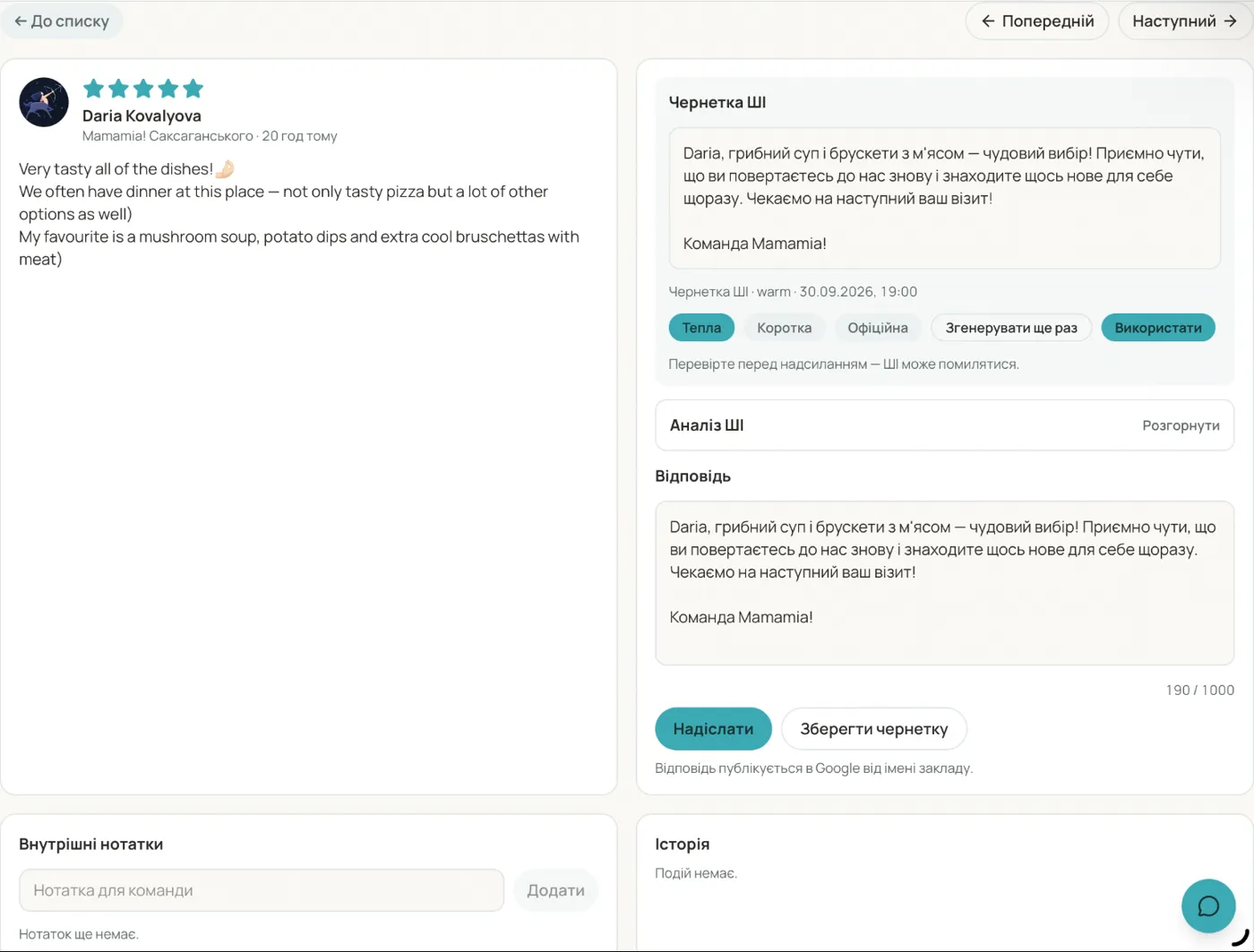
Мультибренд і франшиза
Додаткова кухня чи dark kitchen запускається як окремий бренд без окремого сайту, каси й підрядників. Мультибренд — необов'язково. Якщо в вас один заклад із одним меню, перемикач можна прибрати. Або використати як верхній рівень меню — основне, винна карта, десерти — одним дотиком. Для груп одна кухня може працювати під кількома брендами, у кожного свій домен і вигляд, а доступи повторюють структуру бізнесу.
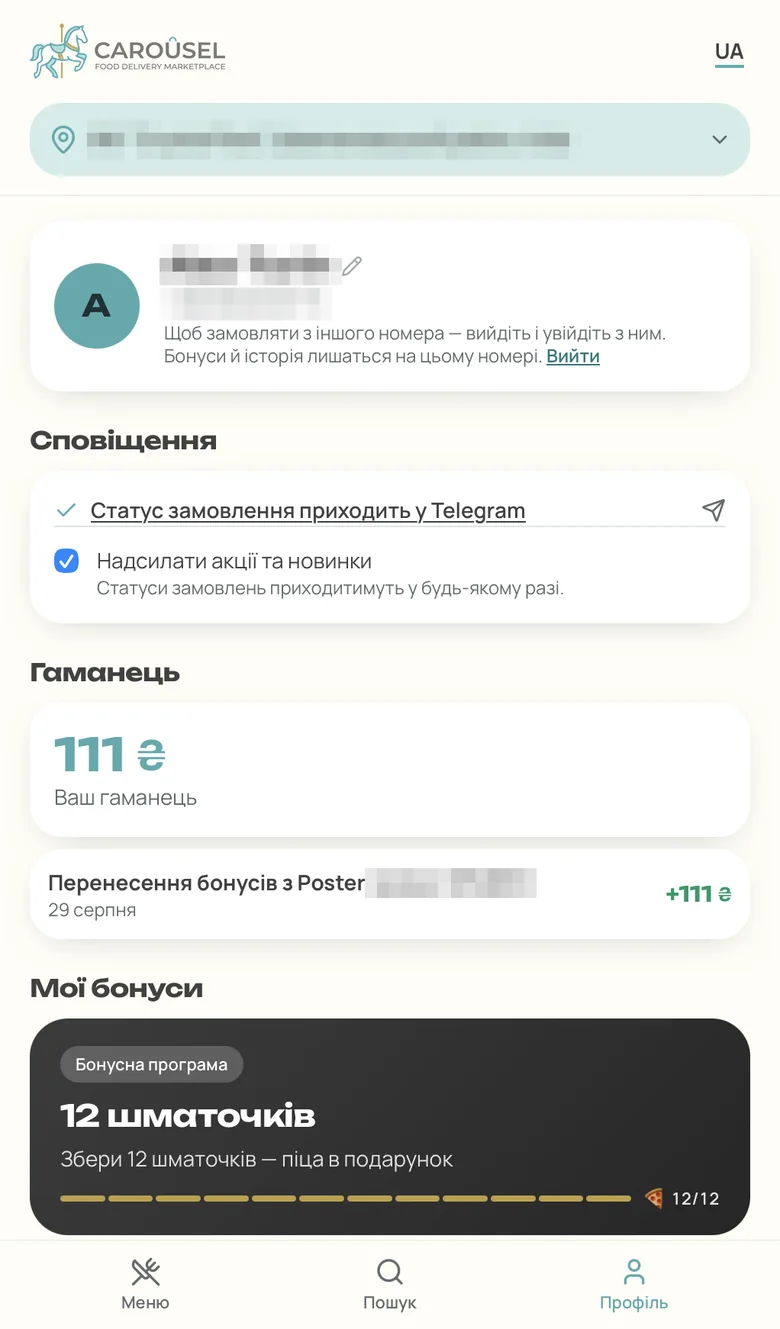
- Іконки брендів як розділи меню: основне, винна карта, десерти
- Кілька брендів в одному закладі
- Брендові домени для кожного бренду
- Ієрархія доступів: заклад, мережа, франчайзі
- Ролі: власник, директор мережі, директор закладу, менеджер, маркетолог
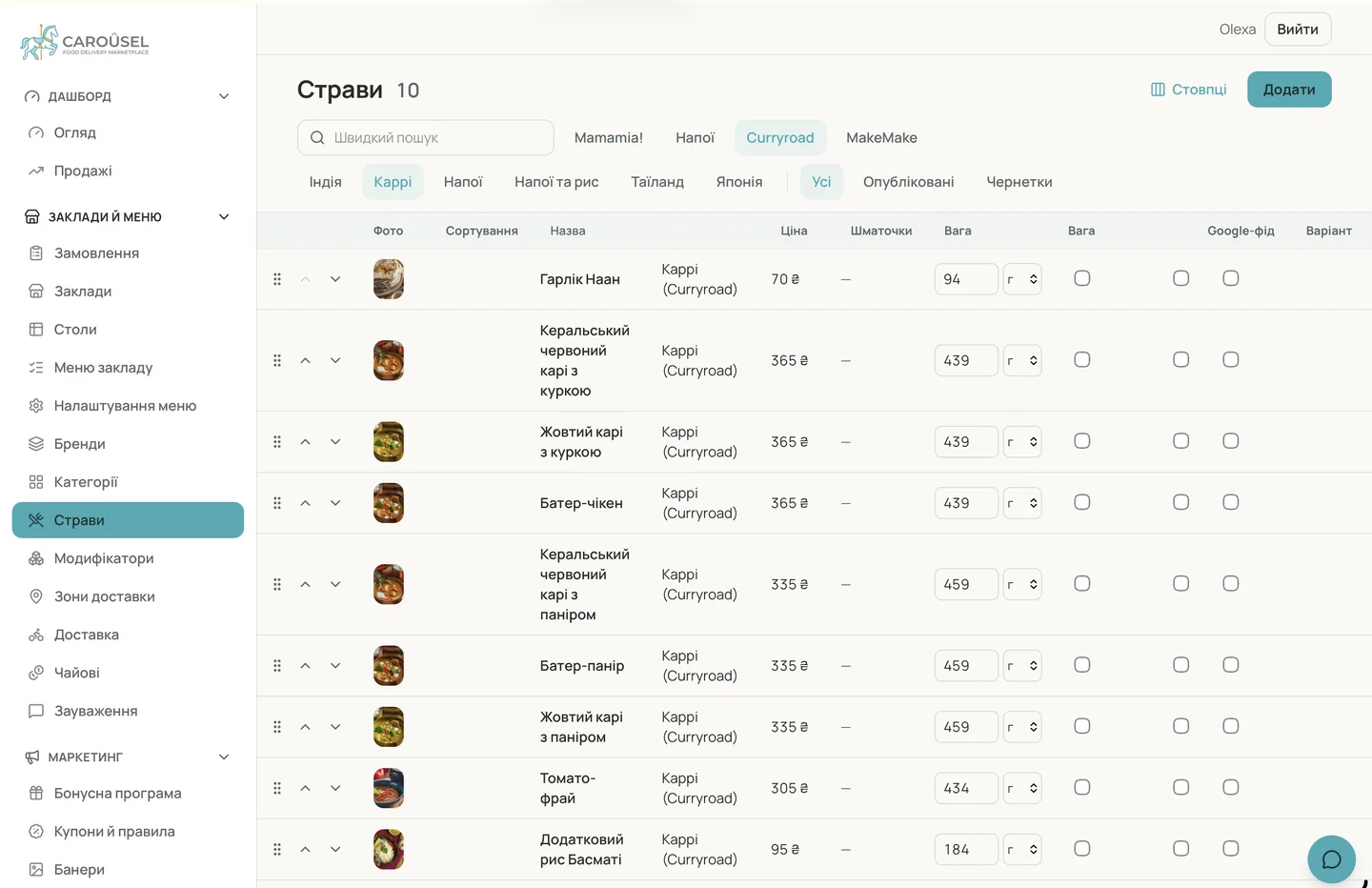
Адмінка і фінанси
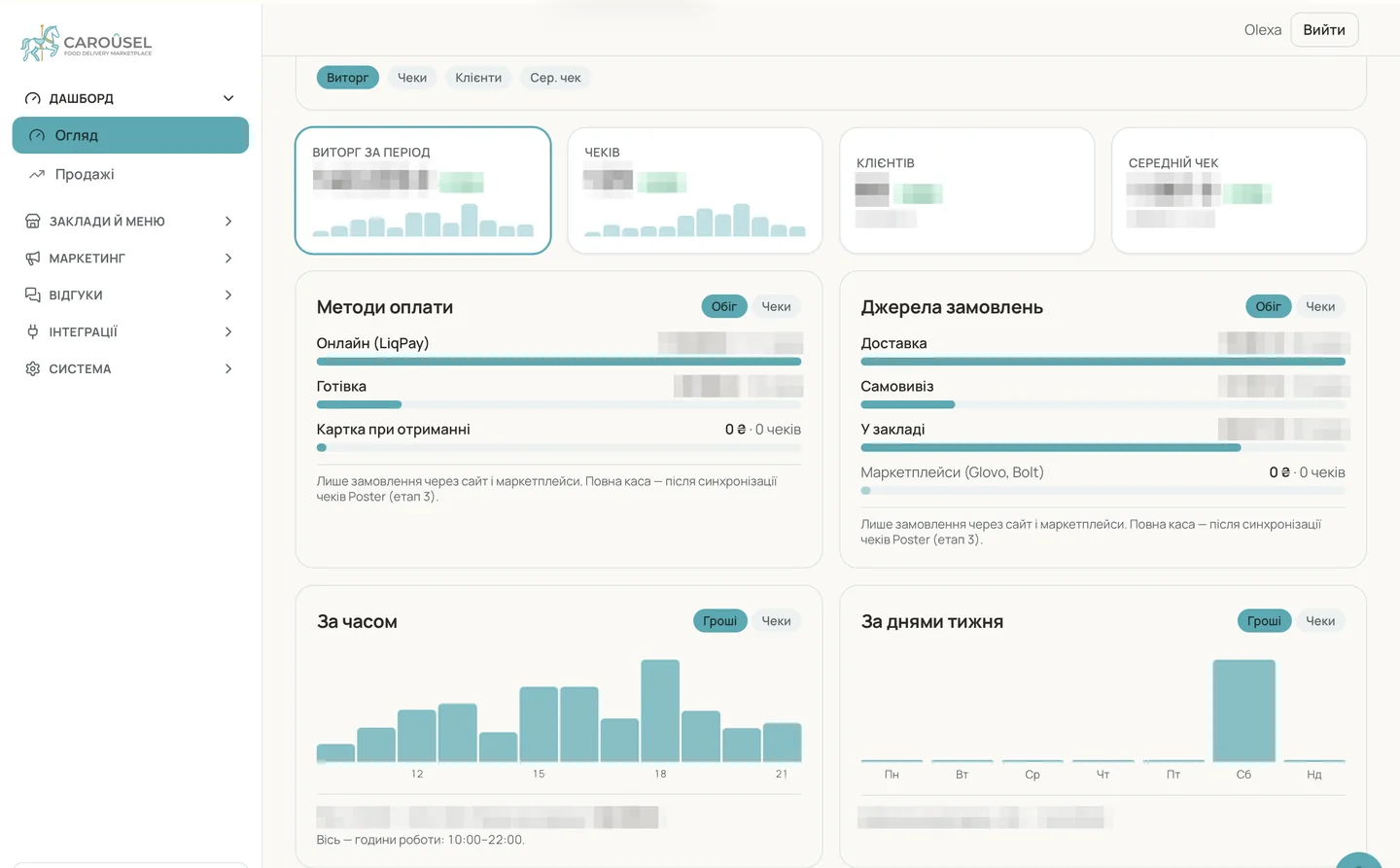
Уся мережа керується з одного місця. Дашборд рахує на ковзних інтервалах, тож сьогодні порівнюється з таким самим періодом до нього. Кожна зміна налаштувань записана, а кожна інтеграція показує свій стан.
- Одна адмінка на всю мережу
- Дашборд із ковзними інтервалами
- Журнал змін налаштувань
- Каталог інтеграцій зі статусами
- Зарплата й чайові: розподіл відсотка від обороту і чайових за правилами; персонал бачить свої нарахування
- P&L за будь-який період з усіх каналів: зал, сайт, агрегатори, телефон
- Маржа страв і постійні витрати по закладах
- Склад: залишки, списання, переміщення між складами
Швидкий старт і стандарти
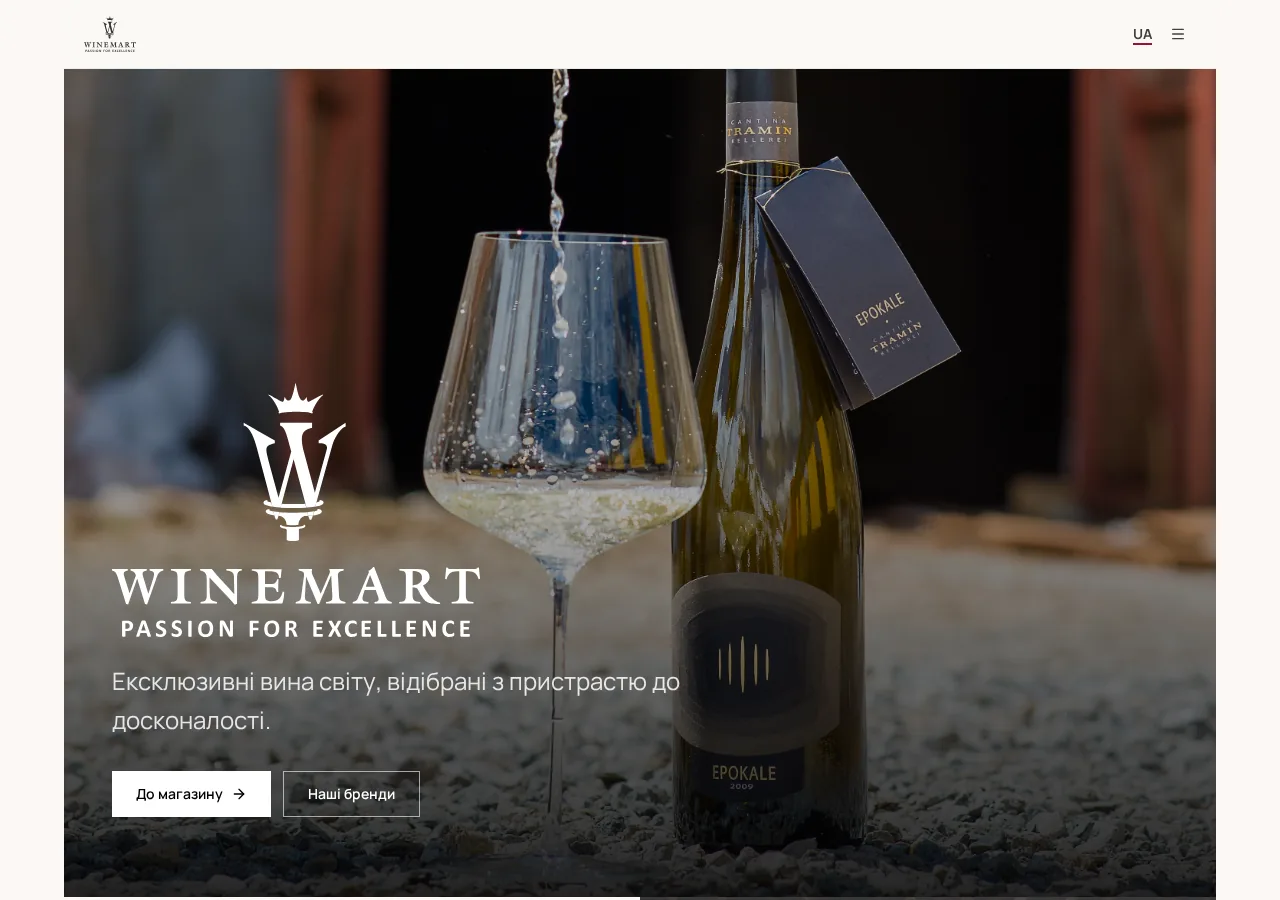
Карусель сканує ваш поточний сайт — меню, ціни, фото й описи — і переносить усе без ручного введення. Вам лишається перевірити й запустити.
- Перенесення сайту сканером, без ручного введення меню
- Контрастність за міжнародним стандартом WCAG
- Логіка замовлення на досвіді великих платформ на кшталт Glovo та Uber Eats
- Перехід поетапно, без зупинки продажів
Готові побачити своє меню на Carousel?
Пройдемося тим, що важливе саме для ваших закладів, і відповімо на незручні питання.